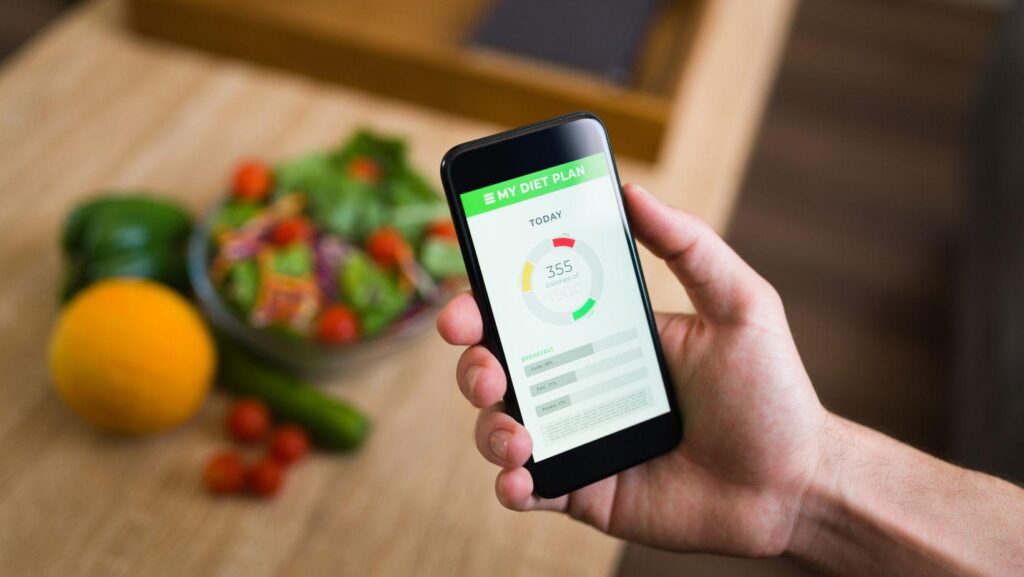
A habit app can look convincing in a screenshot. The calendar is complete, the charts are tidy and every entry has been recorded. Your own Tuesday is likely to be less cooperative. You forget a check-in, dismiss a reminder during a meeting and remember yesterday’s activity while standing in the grocery line.
Choosing a habit-tracking app means looking beyond that finished dashboard. Before subscribing, consider what the product asks you to do on a busy day and what you will get back from that effort. A detailed record has limited use if keeping it requires more attention than you can reasonably give.
The most useful comparison starts with an ordinary task. Can you record what happened, return to it later and understand the result? That question applies to exercise logs and personal spending records, as well as more sensitive subjects such as drinking habits. The interface should make the task clear without asking you to interpret every missed entry as a personal failure.
Define the Question Before Comparing the Features
Write down the question you want the app to help answer. “What happens to my evening plans after a late workday?” gives you something specific to examine. “Become a better version of myself” leaves you comparing features without a clear reason to need them.
A person reviewing exercise might want to record the activity and how much time it took. Someone reviewing alcohol use might want to compare an intention with what happened. Those are different jobs, even if both products display a calendar and send reminders.
Give each feature a purpose in your comparison. If you cannot explain how a leaderboard, badge or additional measurement helps answer your question, leave it out of the buying decision. You can revisit it later if your needs change.
Follow One Entry Through the Habit-Tracking App
Use a demonstration or trial, where available, to follow a complete entry. Start at the home screen, enter the information and then find it again. Check how the app handles a mistake or a day for which you have no record. Missing information should remain distinguishable from a recorded zero.
Look at the wording around each field. A prompt asking how the day went may invite a useful note, but it should be clear whether that note is optional. A product that requires a long reflection every time may be a poor match for someone who only wants a brief check-in.
UM’s drink tracker illustrates one approach to a specific habit: its published description covers setting drinking intentions, recording drinks and reviewing the experience afterward. That sequence is a useful example of what to examine in a product demonstration. It does not establish that a particular app will produce a health outcome for every user.
Check What the Reminder Will Ask of You
A reminder is useful when you can act on it. Before enabling notifications, decide when the task would fit into your day. A prompt during a commute may be inconvenient; the same prompt at a chosen time at home may be easier to use.
Check whether the product lets you control notification timing and frequency. These are features to verify, not assumptions to make about every app. Look at the wording that appears on the lock screen, especially when the subject is private.
Consider how you will use the product without reminders as well. If you dismiss a notification, can you return to the relevant screen easily? The process should still make sense when your day does not follow the schedule you entered during setup.
Give Privacy Its Own Place in the Comparison
The Federal Trade Commission advises people choosing health apps to examine how their information is collected, used and shared. It also warns that these apps may fall outside HIPAA protections. A product’s health-related purpose does not, by itself, tell you what privacy rules apply.
Check the privacy notice before entering sensitive details. Look for an explanation of sharing with other companies and the controls available to you. If a statement is unclear, ask the provider rather than filling the gap with a reassuring assumption.
Think about the information you intend to record. A general note about an evening may meet your needs without naming colleagues or describing somebody else’s personal circumstances. Decide what belongs in the record before the text box invites you to write more.
Separate Product Features From Outcome Claims
An app can accurately describe a feature without proving a broader promise. The ability to record sleep, for example, is different from evidence that the product improves sleep. A screenshot establishes what a screen looks like; it does not establish the cause of a change in someone’s health.
For a focused service such as Unconscious Moderation, compare the stated alcohol habit-change purpose with the specific support you are seeking. Then examine the product information and any evidence offered for health claims. Keep your expectations tied to what has been demonstrated rather than the most ambitious sentence on a landing page.
This distinction also helps when comparing reviews. A reviewer can describe finding an interface convenient. Their experience alone cannot establish that you will get the same result. Look for details about the task they completed instead of relying entirely on a star rating.
Decide What Would Make the Subscription Worth Keeping
Before starting a paid plan, check the renewal price, billing interval and cancellation process. Verify which features remain available after a trial. If keeping your records is important, check the product’s export and account-deletion options before relying on it for a long-running log.
Choose a review point after several ordinary days of use. Ask whether the record answered your original question and whether maintaining it was manageable. An attractive chart may still leave you unsure what to do next; a modest record may reveal exactly the practical detail you wanted.
Keep the app if it earns a clear role in your routine. Change your setup if the prompts arrive at the wrong time, or choose a simpler method if the recording task feels excessive. The decision should come from using the product under normal conditions, with an incomplete calendar and a busy Tuesday included.
Sources
Federal Trade Commission – Does your health app protect your sensitive info?